Windows Server Administration
The Digital Mega-Restaurant
Windows Server roles told as one growing restaurant chain. Watch this before we open the kitchen on M11.
IIS
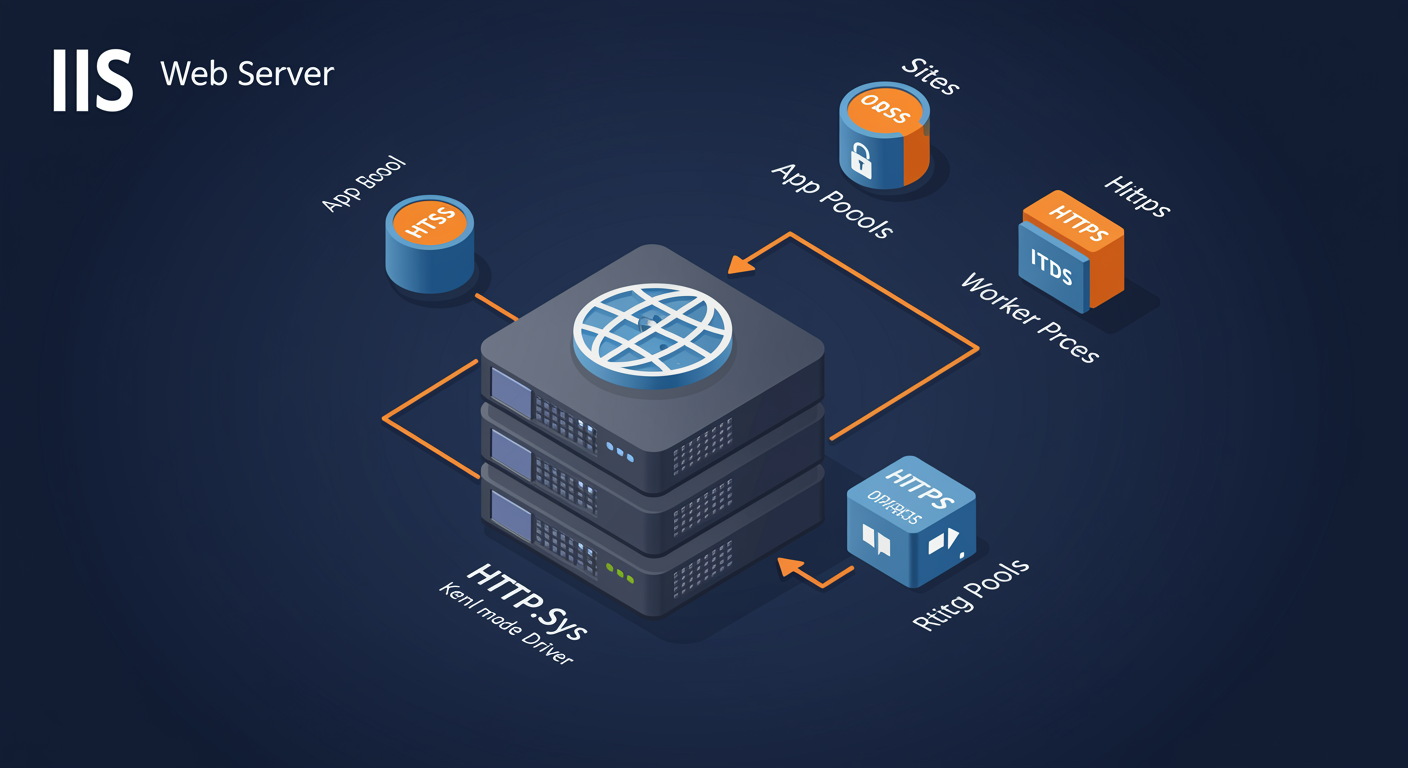
IIS architecture: the request pipeline
HTTP.sys, WAS, W3SVC, w3wp. Four layers, top to bottom.
A request enters at the kernel, escalates through user-mode services, and ends in a worker process.
- HTTP.sys. Kernel-mode driver. Listens on the port (80/443), queues incoming requests, hands kernel-mode caching for static files.
- WAS (Windows Process Activation Service). Reads
applicationHost.config, manages worker process lifecycle, fires up an app pool when its first request arrives. - W3SVC (World Wide Web Publishing Service). The HTTP listener service that owns HTTP.sys queues, dispatches to the right app pool based on URL.
- w3wp.exe. The worker process. One per app pool. Runs your .NET / app code. The thing that crashes or leaks.
- Static vs dynamic. Static requests can serve from kernel cache without ever reaching w3wp. Dynamic always invokes the worker.
Application pool recycling
The trick that keeps long-lived workers healthy without downtime.
Recycling drains the old worker while a new one starts. Zero-downtime patch for memory leaks.
- Why recycle. Long-lived processes leak memory, accumulate state, fragment heaps. Recycling resets cleanly.
- Triggers. Time interval (default 1740 min = 29 hr), memory cap, request count, fixed schedule, on-demand via Manager.
- Overlapped Recycle. New w3wp starts BEFORE old one stops. New requests go to new; in-flight requests finish on old; old exits when drained.
- Disable overlap if needed. Some apps with shared resources (file locks, named mutexes) cannot tolerate two processes alive at once.
- Recycling != restart. Recycling does not restart IIS or kill connections. The pool just spins a new worker.
Authentication methods: five flavors
Pick by client type, network topology, and what you can ask the user to install.
IIS supports five built-in auth modes. Most apps end up with two stacked.
- Windows. Kerberos / NTLM. Best for intranet. Auto SSO if client is domain-joined. Use for AD-backed internal apps.
- Basic. Username + password in base64. Plain text without HTTPS. Useful only inside an HTTPS site.
- Digest. Password-hashed challenge-response. Better than Basic but rarely used today (Kerberos won).
- Forms. App-managed login page. Sets a cookie. Common for public-facing apps. ASP.NET ships
FormsAuthentication. - Anonymous. No auth. Required to be ON for any public-facing content. Disable on admin endpoints.
SSL/TLS configuration
Bind the cert, configure the protocols, force HTTPS.
Three knobs cover 90% of TLS hardening on IIS.
- Cert binding. Bind a certificate to a site on port 443. SNI lets multiple HTTPS sites share one IP+port via hostname.
- Protocols. Disable SSL 2/3, TLS 1.0/1.1. Enable TLS 1.2 and 1.3. Configured via registry (
HKLM\System\CurrentControlSet\Control\SecurityProviders\SCHANNEL). - Cipher suites. Disable export-grade and RC4. Prefer ECDHE-based perfect forward secrecy. Tools: IIS Crypto, Get-TlsCipherSuite.
- HSTS. HTTP Strict Transport Security header tells browsers "always HTTPS for this host." Use IIS → HTTP Response Headers.
- HTTP → HTTPS redirect. URL Rewrite rule on the HTTP site that 301s to the HTTPS URL. Native in IIS 8.5+.
RDS
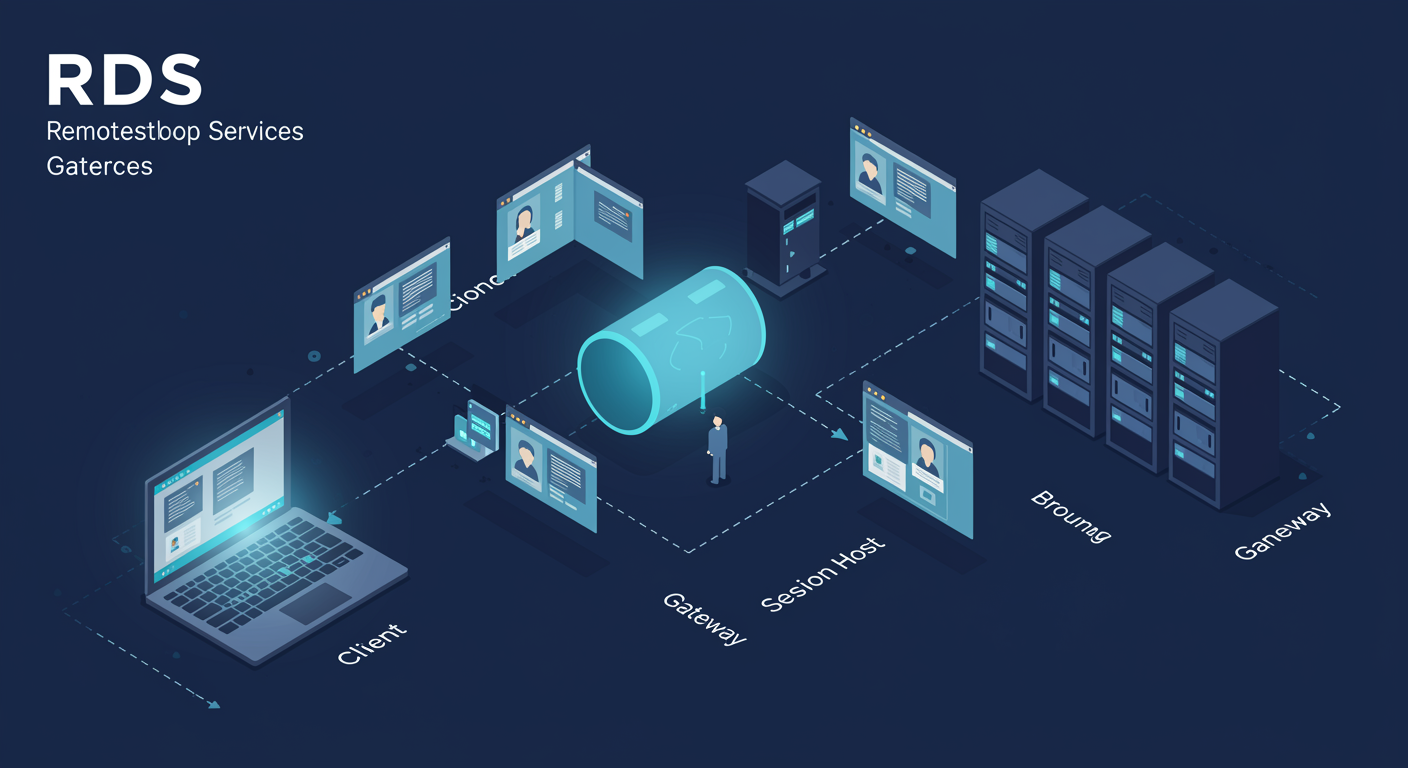
RDS architecture: five role services
Each role services a specific function. Together they cover the full session lifecycle.
Client connects to Gateway, Broker assigns a Host, Host serves the session, Licensing tracks the CAL.
- RD Session Host (RDSH). The workhorse. Runs user sessions. One server can host many concurrent users.
- RD Connection Broker (RDCB). Routes connections to the right host. Load-balances. Tracks disconnected sessions for reconnect.
- RD Gateway (RDG). Tunnels RDP over HTTPS (443). External clients connect without VPN. Cap on who can connect (CAP) + which hosts they can reach (RAP).
- RD Web Access (RDWA). Web portal listing published apps + desktops. Users click; SSO via Kerberos or NTLM.
- RD Licensing. Tracks CALs. Without it, users get 120-day grace period then get kicked out.
Session-Based vs VDI
Same RDS plumbing. Two very different deployment models.
Session-Based shares one OS across many users. VDI gives each user their own VM.
- Session-Based. One Windows Server kernel, many concurrent user sessions. High density. Lower cost per user. Standardized environment.
- VDI. One full Windows desktop VM per user. Pooled (reset on logoff) or personal (persists). Higher cost, full isolation.
- Pick Session-Based when. Standardized workloads (Office, line-of-business apps), kiosks, cost-sensitive deployment.
- Pick VDI when. Per-user admin rights needed (devs), custom installs per user, regulatory isolation requirements.
- VDI on Hyper-V. Hyper-V hosts the desktop VMs. RDCB routes to them. Same broker, different host type.
RD Gateway: external access without VPN
RDP over HTTPS. Two policies (CAP, RAP) for who and where.
RD Gateway is the public-facing edge that tunnels RDP through 443 so clients do not need VPN.
- The flow. External client RDPs to
gateway.hexworth.com. Gateway terminates TLS, authenticates, tunnels the RDP session to an internal host. - CAP (Connection Authorization Policy). WHO can connect. AD group membership. Optional MFA via NPS + RADIUS. Smart card requirement.
- RAP (Resource Authorization Policy). WHICH internal hosts they can reach. Limits each group to specific RDSH/VDI servers.
- NPS integration. RD Gateway uses NPS for the CAP policy engine. Adding RADIUS + MFA happens at the NPS layer.
- Cert requirements. Public certificate on the gateway (trusted CA, matches FQDN). Internal cert chain for the internal RDSH/VDI hosts.
RDS CALs: Per-User vs Per-Device
Pick by your user-to-device ratio.
CALs are required even though Windows licenses the server. RDS CALs are an additional layer.
- Per-User CAL. One CAL per AD user. The user can connect from any device. Tracked in AD via licensing extension. Choose when users have multiple devices.
- Per-Device CAL. One CAL per device (regardless of how many users). Stored on the device. Choose when shared devices (kiosks, shift workers, factory floor).
- Grace period. Without a license server, users get 120 days. Then the connection is refused.
- Discovery. RDSH server contacts RD Licensing via discovery scope (workgroup, domain, forest). Configure in deployment properties.
- Software Assurance / SPLA. Volume licensing rolls CALs in. Service-provider licensing is a different SKU (SPLA).
Cert Services
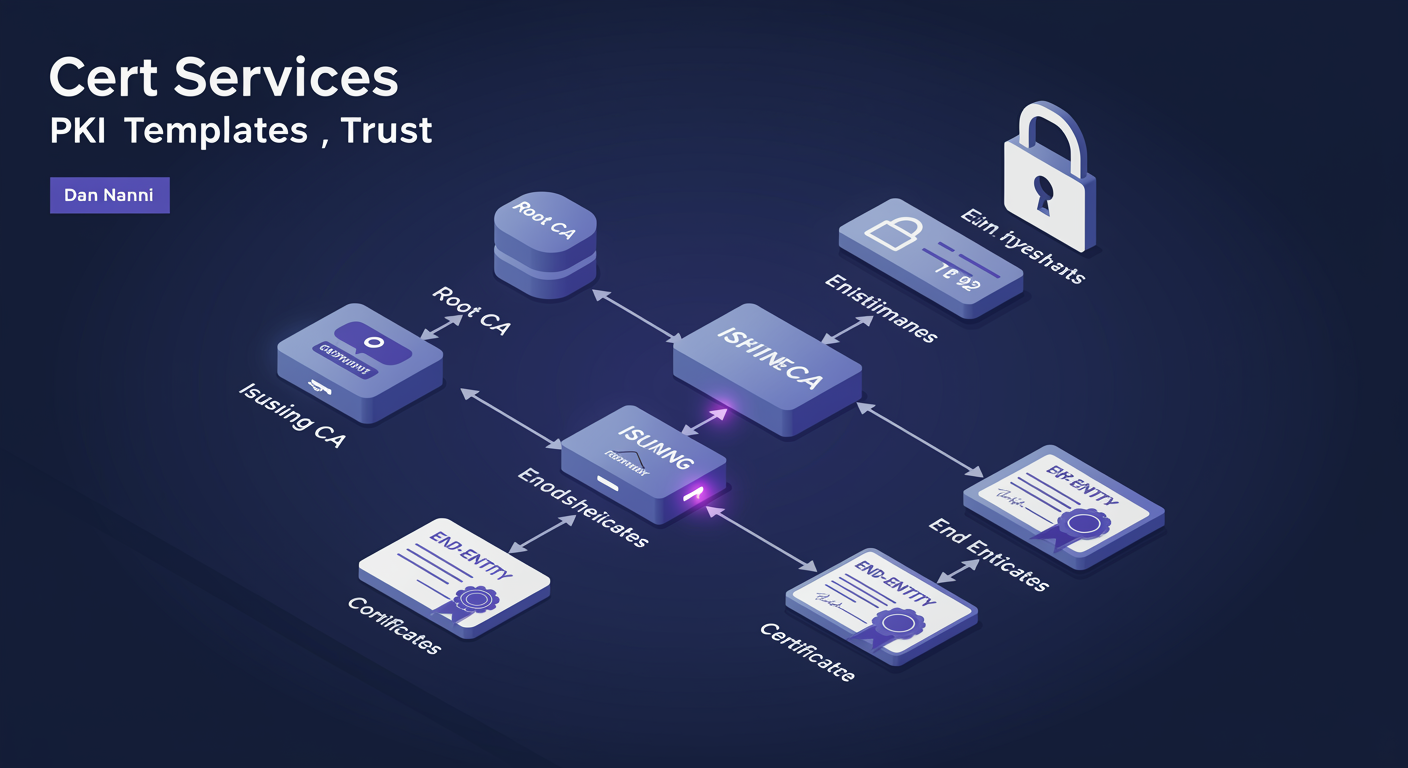
PKI fundamentals + chain of trust
A cert is only as trusted as the chain that signed it.
Every X.509 certificate has a chain. The bottom is what you present; the top is what your OS already trusts.
- Root CA. Self-signed. Sits at the top. Lives in the OS's "Trusted Root Certification Authorities" store. The anchor.
- Issuing CA. Subordinate. Its cert is signed by the Root. Issues end-entity certs day-to-day.
- End-entity cert. What you actually present (server, user, code-signing). Signed by an Issuing CA.
- Validation. Client walks chain: end → issuing → root. If root is trusted and signatures verify, the chain is valid.
- Why two tiers. Root CA stays offline (protect the keys). Issuing CA is online and revocable. Compromise of Issuing CA = revoke that cert + spin up a new Issuing CA. Root unaffected.
CA hierarchy: Enterprise vs Standalone
Two CA personalities. AD integration is the deciding factor.
Enterprise CA lives in AD. Standalone CA does not. That single choice cascades into everything.
- Enterprise CA. AD-integrated. Publishes templates to AD. Issues certs based on user/computer identity from AD. Supports autoenrollment.
- Standalone CA. No AD integration. Manual issuance via request files. Used when CA must not be domain-joined (offline Root, partner CAs).
- Two-tier hierarchy. Offline Standalone Root + online Enterprise Issuing. The standard production pattern.
- Single-tier. One online Enterprise CA. Simpler but if it is compromised you rebuild PKI from scratch.
- Three-tier. Root + Policy CA + Issuing CA. Rare. Used in regulated environments where policy/audit is separated from issuance.
Certificate templates and autoenrollment
Templates define what gets issued. GPO triggers automatic issuance.
Template = recipe. Permissions = who can use the recipe. GPO = when to bake automatically.
- Templates. Pre-built recipes: Computer, User, Web Server, Code Signing, Smart Card Logon, Kerberos Authentication. Customizable.
- Template permissions. Read = see the template. Enroll = request a cert based on it. Autoenroll = receive automatically when GPO applies.
- Autoenrollment trigger. GPO setting:
Computer Config → Public Key Policies → Certificate Services Client - Auto-Enrollment. Enable, set "Renew expired", "Update certificates". - The flow. GPO applies → client checks templates with Autoenroll permission → if no current cert, requests one → CA issues → cert lands in cert store.
- Custom templates. Duplicate an existing template, tweak Subject Name, Validity Period, Key Length, Issuance Requirements.
Web enrollment + revocation
When autoenrollment is not the answer.
Web enrollment is the user-facing case. CRL + OCSP let you revoke a cert before it expires.
- Web enrollment site.
https://ca-server/certsrv. Optional role service. User browses, submits CSR, downloads issued cert. Common for non-domain devices. - Manual issuance. CA admin reviews each request. Slows things down; required for high-trust certs (code signing, EV).
- CRL (Certificate Revocation List). Periodically-published list of revoked cert serials. Clients download and cache. Lag = window during which a revoked cert can still be accepted.
- OCSP (Online Cert Status Protocol). Real-time revocation check. Client asks the CA "is this serial still good?" Lower lag, more network traffic.
- Distribution points. CDP and AIA URLs are embedded in every cert. They tell the client where to find the CRL and the issuing CA's cert.
Advanced Networking
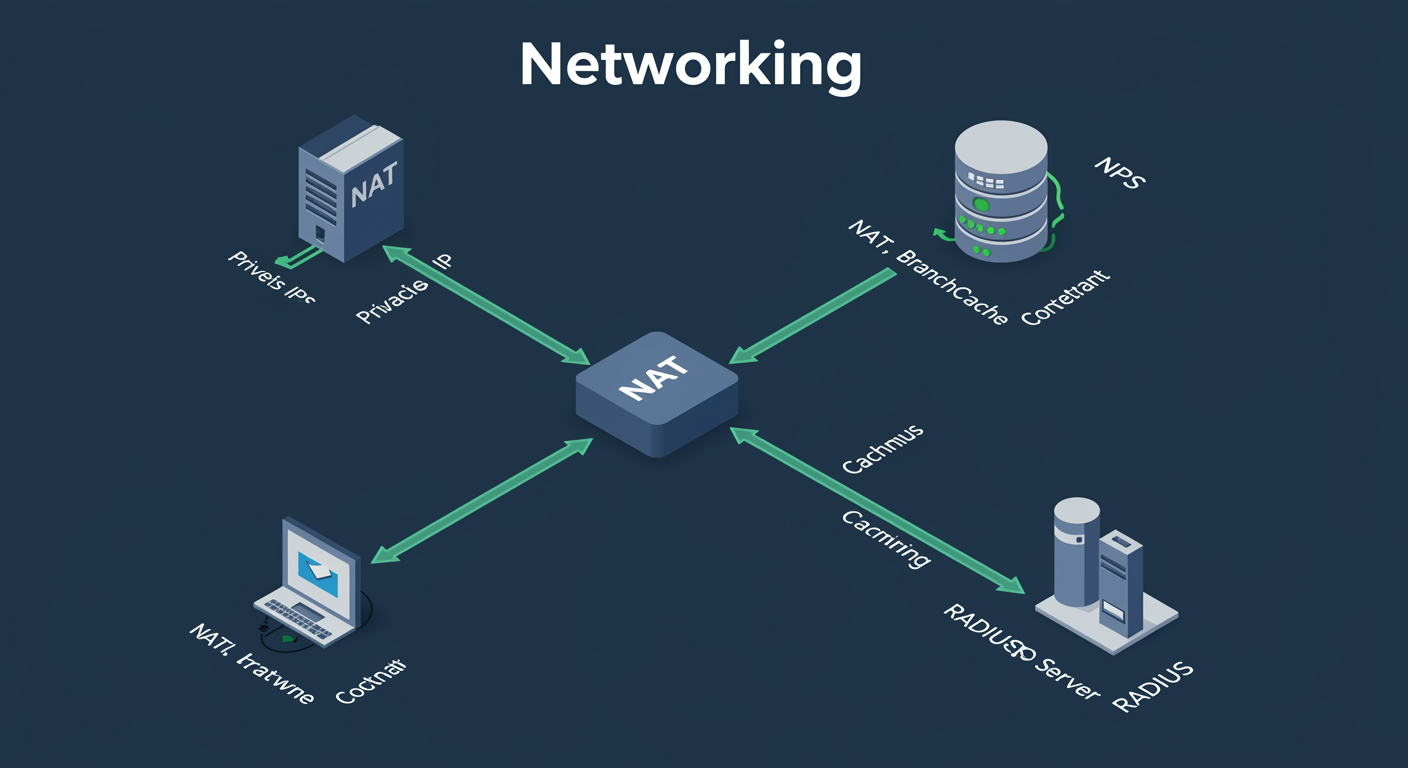
NIC teaming: redundancy + aggregation
Bond multiple physical NICs into one logical interface.
A team is multiple physical NICs presenting as one logical NIC to the OS. Three teaming modes; pick by switch capability.
- Switch Independent. No switch config required. Works across two different switches for switch-level redundancy. Inbound traffic uses one NIC at a time.
- Static Teaming (LAG). Switch ports manually configured as a Link Aggregation Group. Bandwidth aggregated. Both switches must agree on the config.
- LACP (Dynamic). Switch ports run LACP protocol. Negotiates aggregation automatically. Preferred when the switch supports it.
- Load balancing. Address Hash (per-flow), Hyper-V Port (per-VM), Dynamic (smart, default in 2016+).
- Server 2022 caveat. NIC Teaming is being deprecated in favor of SET (Switch Embedded Teaming) for Hyper-V hosts. Know both for the exam.
Split-Brain DNS
Same hostname. Two answers. Depending on who asks.
Internal clients get internal IP. External clients get external IP. One hostname, two views.
- The problem.
app.hexworth.cominternal = 10.0.0.50. External = 52.84.12.45. You want clients to use the closer one. - The classic approach. Two zones with same name on different servers. Internal DNS serves internal IPs. External (public) DNS serves external IPs.
- The modern approach. One zone, DNS Policies. Filter by client subnet. Same server answers differently depending on who is asking.
- Pinpoint records. Use for federation services (ADFS), public-facing portals, applications hosted in DMZ that have internal direct-connect paths.
- The "I get the wrong answer" gotcha. Client cached the wrong record. Clear with
ipconfig /flushdns. Or TTLs too long; lower for split-brain hosts.
DNSSEC: cryptographically signed answers
Stops DNS cache poisoning. Verifies the answer came from the authoritative source.
DNS itself has no integrity check. DNSSEC adds digital signatures to records so resolvers can verify authenticity.
- The threat. Without DNSSEC, attackers can spoof DNS responses (cache poisoning). Client trusts whatever reaches it first.
- The fix. Zone signs its records. Resolver verifies signatures against the zone's public key. Chain of trust up to the root (which is signed).
- New record types. RRSIG (signature on a record set), DNSKEY (zone public key), DS (delegation signer in parent zone), NSEC/NSEC3 (proof of non-existence).
- KSK + ZSK. Key Signing Key (signs DNSKEY) + Zone Signing Key (signs zone data). Two-key model lets you rotate ZSKs without involving the parent zone.
- The catch. DNSSEC validates origin, not confidentiality. Your queries are still plaintext. DoT/DoH solve confidentiality separately.
DNS Policies: site-aware responses
Route DNS answers based on client subnet, time of day, query type.
DNS Policies turn one zone into a conditional one. Filter what to return based on who is asking.
- Three pieces. Client subnet (group of source IPs), Recursion scope (which forwarders), Zone scope (which records to serve).
- Common use case 1: geo-balancing. US clients get a US datacenter IP. EU clients get an EU IP. Same hostname.
- Common use case 2: split-brain. Internal subnets get internal records. Everyone else gets external records. (See previous slide.)
- Common use case 3: traffic management. Block recursive queries from outside your network. Limit responses to specific subnets.
- PowerShell only. No GUI for DNS Policies.
Add-DnsServerClientSubnet,Add-DnsServerZoneScope,Add-DnsServerQueryResolutionPolicy.
Week 3 at a Glance
Apps, identity, and networking — the whole week on one page.
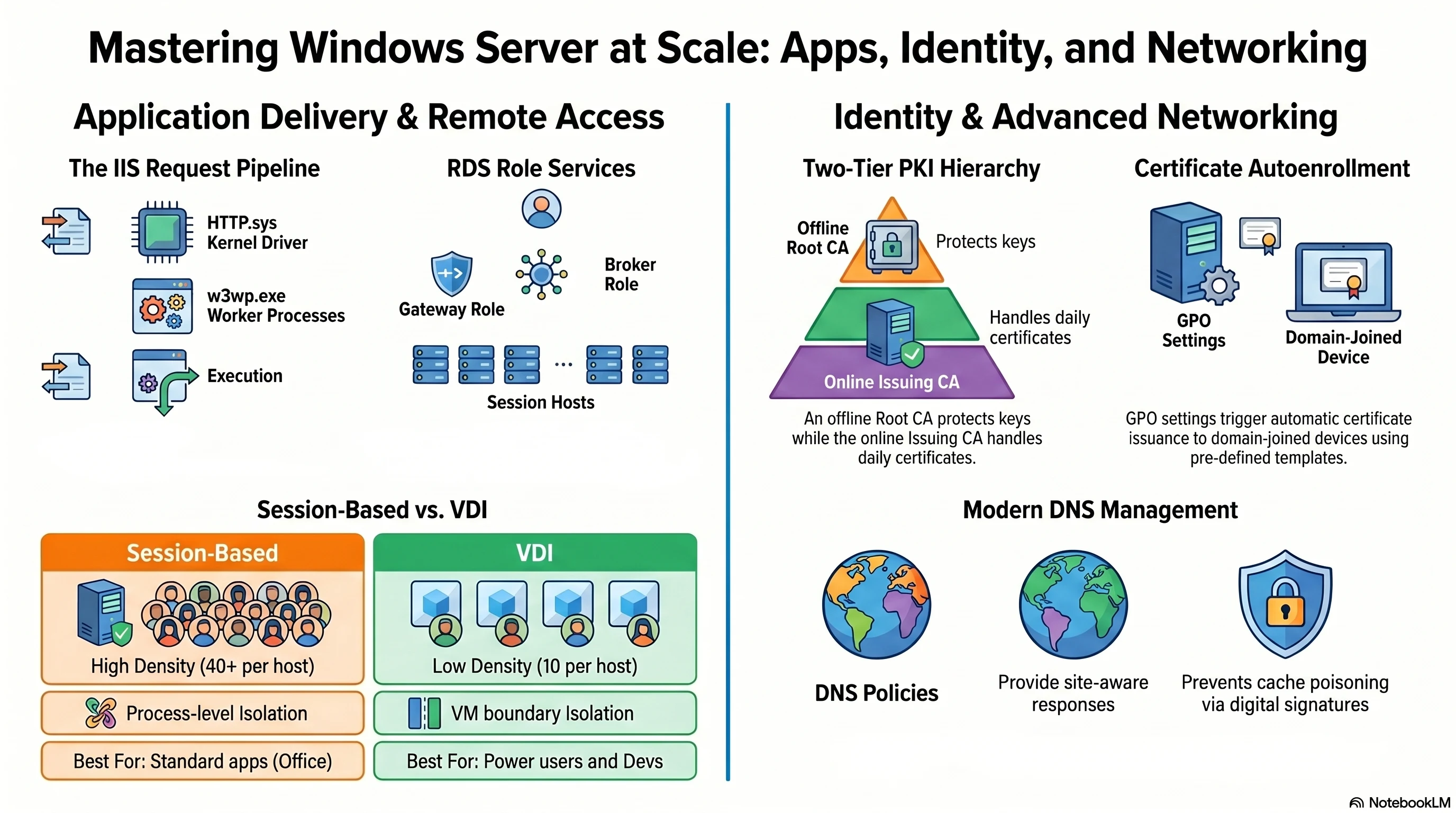
Week 3 Wrap-Up · Week 4 Preview
Apps + identity at scale. What's coming.
- M11. IIS architecture, app pool recycling, auth methods, SSL/TLS
- M12. RDS architecture, Session vs VDI, RD Gateway, CALs
- M13. PKI fundamentals, CA hierarchy, templates + autoenrollment, web enrollment
- M14. NIC teaming, Split-Brain DNS, DNSSEC, DNS Policies
- M15. AD Sites + Replication topology
- M16. Backup and Recovery
- M17. Firewall and Security hardening
- M18. PowerShell Automation
- M19. Troubleshooting + Migration
- M20. Failsafe Capstone